All work
Finding leads · Sales teams and agencies
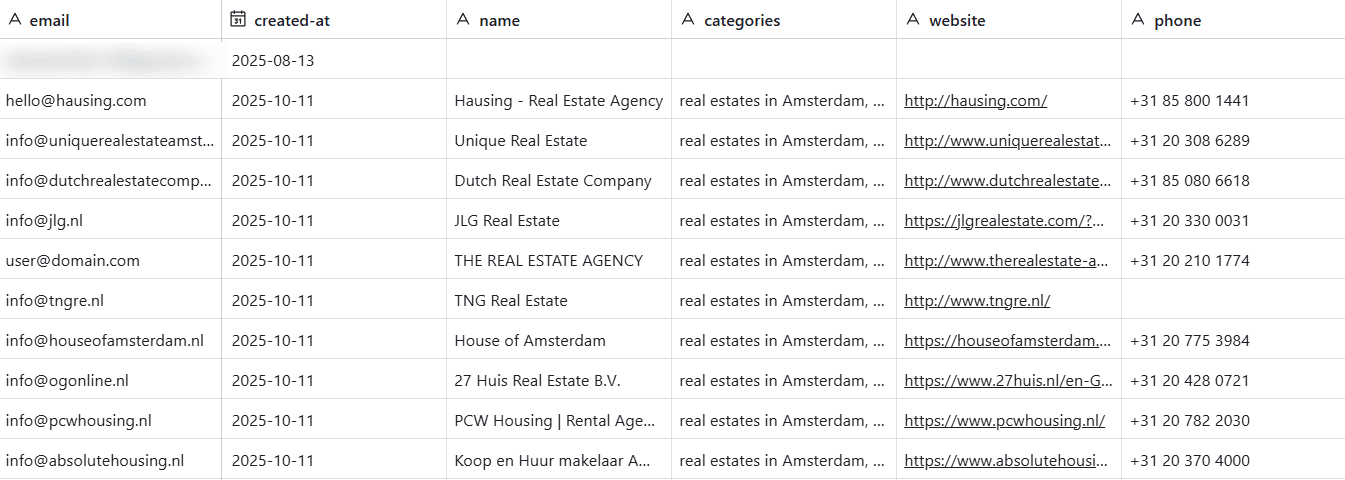
40 ready-to-call leads in about a minute
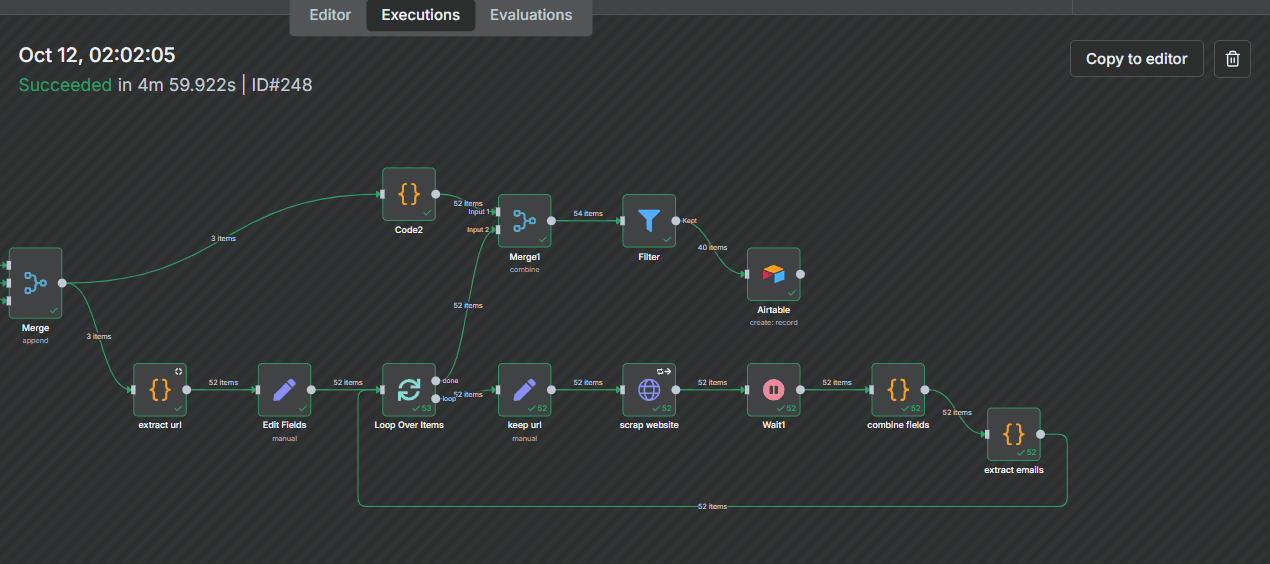
Finds businesses by type and location, pulls their contact emails from their websites and saves a clean list.
- Result
- 60sto find 40+ checked leads
- Client
- Sales teams and agencies
- Tools used
- n8n, Google Maps, Airtable

How it works
step by steplive
01
Search
type + location
02
Visit sites
find emails
03
Check
remove duplicates
04
Save
ready-to-call list

The problem
Lead lists were built by hand: search, open each website, find a contact, paste it into a spreadsheet. Every new list took days.
What I built
- 01Search Google Maps by business type and location
- 02Visit each website and find the contact email
- 03Check every contact and remove duplicates
- 04Save everything to a tidy spreadsheet-style list
- 05Run it on a schedule or whenever you need a new list
What changed
- 40+ leads with checked contact details in about 60 seconds
- No manual research or copy and paste
- Lists are ready to call as soon as it finishes